Every online ordering system for restaurants looks similar in a 20-minute demo. The dashboard may list everything, the menu setup may look up to date, and the checkout button may work as expected. But after signing the contract, you may notice some differences. The entry-level plan may leave out features the sales representative never mentioned, or when asking for customer data to support the team, the restaurant may find it doesn't have full access.
That's why, before choosing any platform, the restaurant should ask seven important questions to differentiate between a platform built for restaurant growth and a third-party app that is mainly focused on growing its own platform.
What counts as an online ordering system for restaurants?
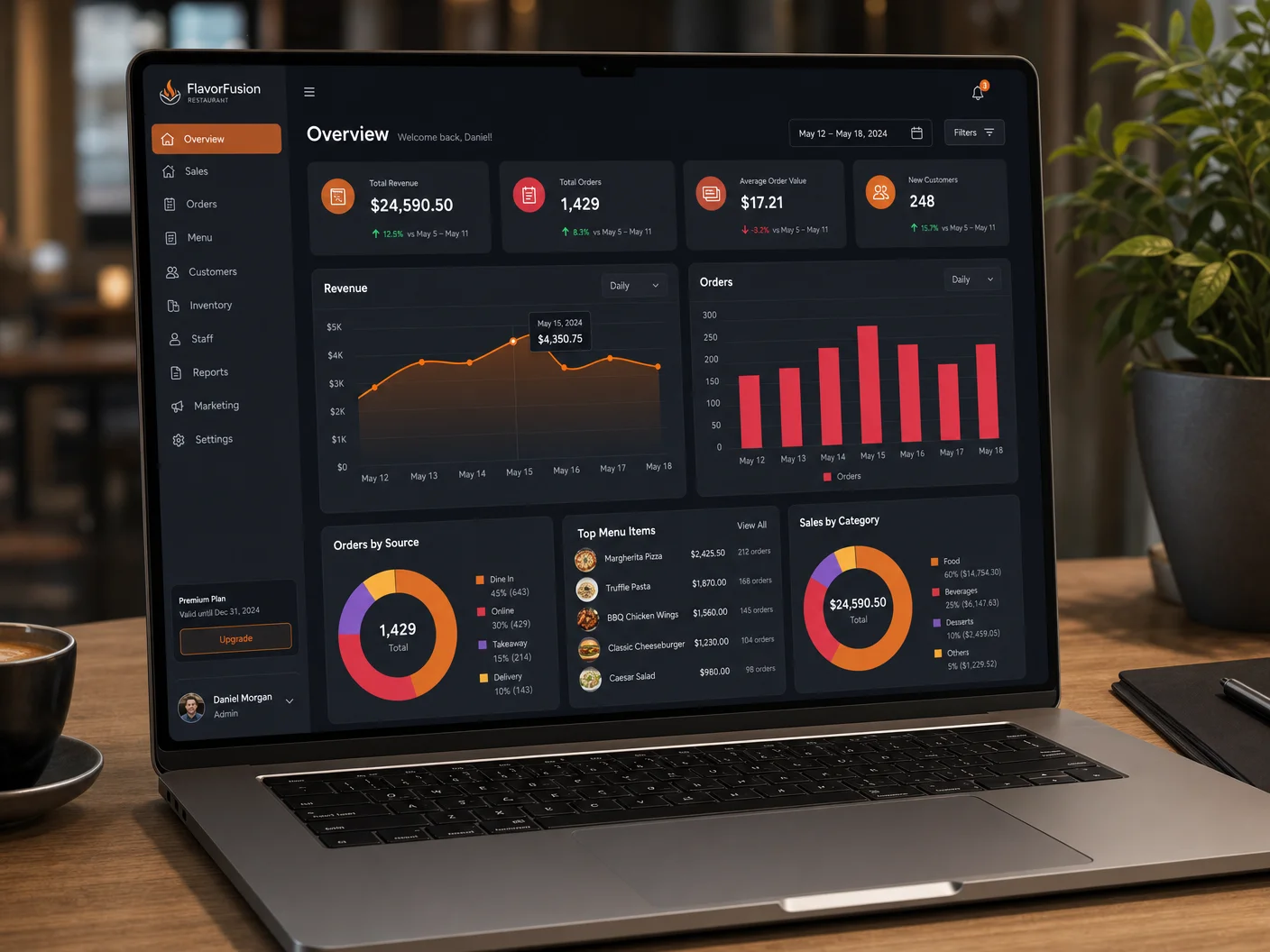
An online ordering system does not rely solely on the website's checkout button; it encompasses menu management, order routing to the kitchen, customer data storage, payment processing, and restaurant POS integration. Some platforms include delivery logistics as well, while others leave that to commission-based apps. So, when comparing platforms, check what facilities are included, how the plans are structured, and which features require extra charges. Filtering these details is the first step.
Check if customers can already find you.
A new checkout page won't fix a restaurant that doesn't show up in local search or AI answers. Run a free scan and see where guests actually drop off.
7 questions to ask before choosing a restaurant ordering system
1. Are there commission fees for online orders?
This is where the real cost of an online ordering system for restaurants hides. Some platforms charge a flat subscription, others take a percentage per order regardless of what the homepage says. Ask directly whether subscription fees replace commission fees, or simply sit on top of them.
2. What's missing from the entry-level plan?
Selecting the best platform is challenging for many restaurant operators. While using the application, restaurants may discover that functionalities such as loyalty program apps, customer activity reporting, or multi-location support are absent, even though they assumed those features were included based on a trial. Rather than relying on the marketing site, ask directly for a full feature breakdown of the exact plan you're signing.
3. Does it integrate with your POS and existing tools?
When a customer places an online order, that order should reach the kitchen printer directly. If it doesn't, staff have to re-enter it manually, which adds workload and gets harder to manage during a rush. Confirm POS integration is native, not a workaround, and ask what other third-party integrations are supported out of the box.
4. Can you export your customer data?
Before choosing an online ordering system, every restaurant owner should ask whether the order management system allows access to customer data such as name, order history, and contact details. If you can't view full customer details, or need a higher-tier plan just to get them, the platform controls the data instead of the restaurant.
5. How does menu management work across channels?
Menu management should let restaurant owners update prices, items, and special offers from one place, with those changes appearing automatically across every ordering channel. Check how quickly updates propagate, and whether multi-location restaurants have to update each location separately.
6. Who handles delivery?
Restaurant owners should know who manages the delivery service - the ordering platform's own fleet, or a third-party delivery partner. Check who's responsible if the delivery connection changes, and what happens to orders in that transition.
7. What happens if you want to leave?
This question is rarely raised during contract sign-up. Restaurant owners need to know the exit process: the required notice, whether they can take their customer data with them, and whether there's a fee for ending the contract early.
See what's included at every tier.
Compare exactly what's included before you commit to a plan.
Start your restaurant online ordering system with confidence
An online ordering system for restaurants isn't just background software - it plays a central role every time a customer places an order. Restaurants can't just install the tool without proper guidance, since staff need training to adapt to a new system, including how to update menu items. When switching platforms, some orders may slip through unnoticed. That's why it's worth asking these questions during the sales conversation itself.
Take these seven questions into your next sales conversation, and get those commitments in writing. Compare the answers, and without any guesswork, start your restaurant's online ordering system with confidence.
Key takeaways
- Some platforms charge commission fees even with a flat subscription, so ask before signing a contract.
- A free trial can hide gaps in loyalty programs, reporting, and multi-location support that only surface once the contract is signed.
- Access to customer data matters more than any other question, since losing it limits how you build customer relationships.
- Understand cancellation terms, exit policies, and data transfer before signing.
Frequently asked questions
How to choose an online ordering system for a restaurant?
Align with a platform that matches your restaurant POS, loyalty apps, and kitchen display. Then get data ownership details and exit conditions in writing before comparing anything else.
What features should an online ordering system have?
Updated menu management, sending direct orders to the kitchen, contactless payments, and built-in basic reports. Everything else is a bonus once those work reliably.
How much does a restaurant online ordering system cost?
Pricing can differ across subscriptions, per-order commissions, and hybrid models. It's best to ask the vendor about their pricing model, and whether it changes as order volume grows.
Can the system support multiple locations?
Yes, but it should mean one login and one menu update pushed across every store. Confirm reporting rolls up across locations too, not just per store.

Stan Liachev, PhD, brings over 30 years of software leadership to restaurant technology via DevourNow. He champions local and small-chain restaurants into carving an online space of their own, guiding them to tap into the modern customer base through expert tools, so they don't lose out on commissions.
See your restaurant's AI & Google visibility score.
Run a free 120-point audit and discover exactly what's costing you orders - then fix it with DevourNow's commission-free growth platform.